
Clogged 3D printer nozzle: diagnosis and cleaning without damage
Thin extrusion, jerkiness, and uneven flow do not always indicate a blocked nozzle. Follow an orderly diagnosis before cleaning or replacing components.
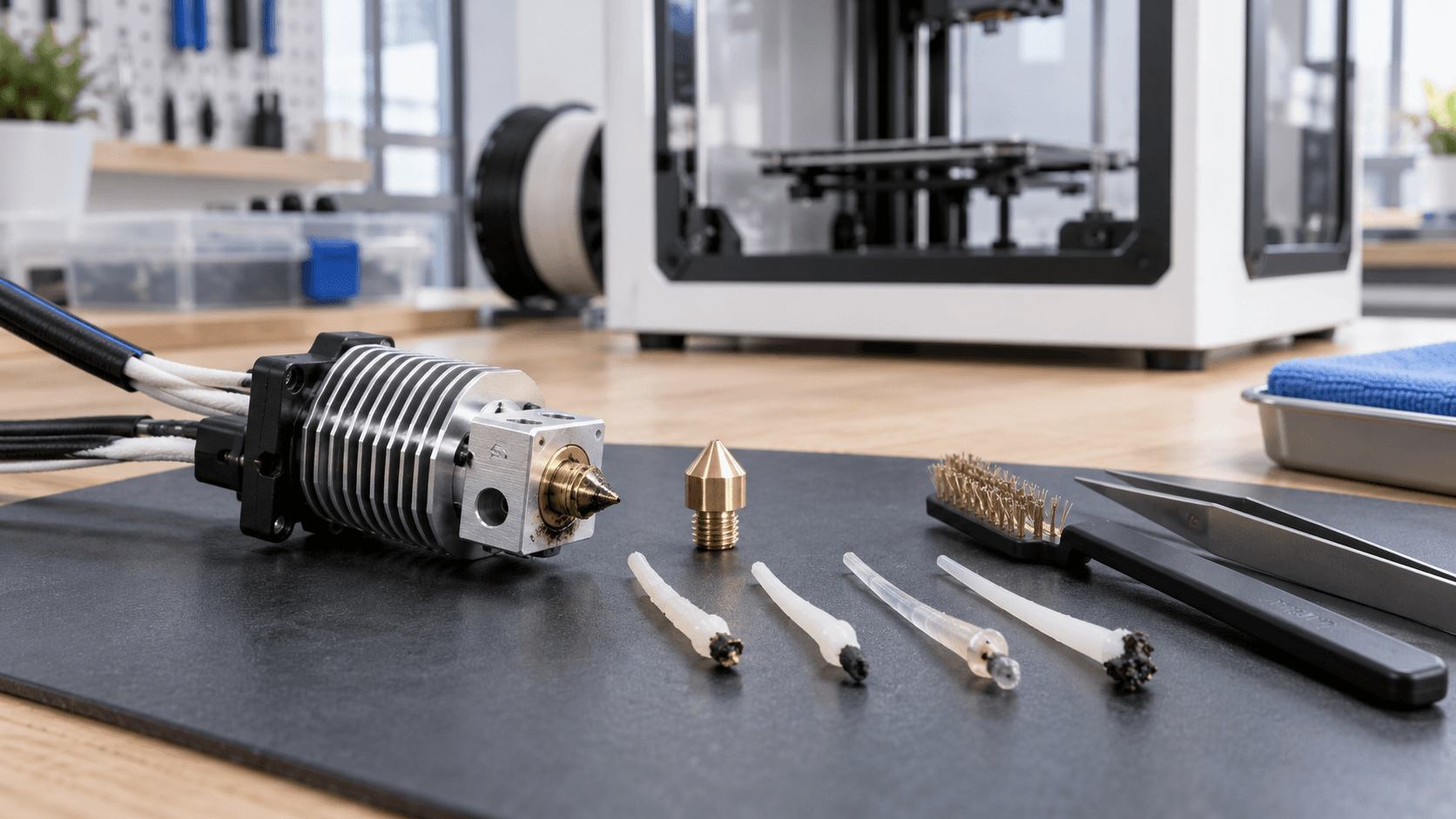
When the nozzle is really clogged
A partially blocked nozzle allows material to pass, but the flow becomes thin, choppy, or deviated. The printer can produce void walls, loose lines, incomplete surfaces, and extruder clicks. During purging, the line may curl towards the nozzle instead of flowing down continuously. A complete block, on the other hand, prevents passage even when the hotend and material have reached the conditions set by the profile. These symptoms alone do not prove that the nozzle hole is clogged. The problem may lie higher up: warped PTFE tube, heat break, dirty gears, incorrect idler pressure or swollen filament. In fact, Prusa distinguishes the clogged nozzle from the entire hotend path and warns that replacing the tip immediately does not resolve every blockage. Before disassembling, note the material, temperature, nozzle, profile and when the defect appeared. If the problem arises after a roll change, a nozzle change, or a long high-temperature print, this information greatly reduces the guesswork.
Exclude profile, spool and feed
Restore an official preset compatible with printer model, nozzle diameter and type, material and standard or high-flow version. A profile with a required flow rate greater than the hotend's capacity may appear to be an obstruction: the extruder pushes more material than the system can melt. Even a temperature set for PLA is not suitable for eliminating residues of a material processed at a higher temperature. Control the spool without forcing the filament. Knots, friction on the spool holder, path that is too curved or a blocked sensor increase resistance. Then examine gears and residues according to the manual, with the machine off and cold when required. Teeth filled with plastic dust can slip; an idler that is too tight can cut into the filament, while one that is too loose does not drag it consistently. Wet or degraded filament can swell, create bubbles and leave deposits. Irregular diameter and contaminants can get stuck in the nozzle. Correct storage and material consistent with the profile prevent some of the problems, but do not justify improvised drying temperatures: always use manufacturer data.
Recognize heat creep and obstructions in the path
Heat creep occurs when heat rises beyond the intended melting zone. The filament softens too soon, deforms and increases friction in the path. It can appear with PLA in a completely closed or very hot chamber, with insufficient hotend ventilation or after a long stop at printing temperature. In this case cleaning only the hole may offer a temporary improvement. Check that the hotend fan spins fspooly, the air vents are not obstructed and the chamber configuration follows the manufacturer's instructions. Prusa recommends, on specific models, opening doors or vents when printing PLA; the rule should not be automatically transferred to every machine. A marked, shortened or poorly fitted PTFE tube can create a cavity where material accumulates. Do not extract or cut it without following the procedure for your model: length, stop and compression are functional parts of the route.
External cleaning: residue does not mean internal blockage
Plastic stuck to the outside of the nozzle can drag drops onto the workpiece, foul the first layer and alter leveling. It does not necessarily mean that the internal channel is closed. Let the machine cool and inspect the nozzle, heater block, silicone sock, heater wires, and thermistor. To soften external residues, use only the temperature and procedure indicated by the manufacturer. The hotend, print bed and metal parts remain hot; a conductive brush near live wires can cause short circuits. Turn off the power when the manual requires it and do not pull the cables. UltiMaker also does not recommend needles on ruby-tipped print cores, as contact can irreversibly damage them. Coated, hardened, ruby or special insert nozzles require compatible methods. An aggressive brush can remove coating or mark the surface. If you are unfamiliar with the material and construction, identify the component first.
Cold pull: Only useful under correct conditions
The cold pull causes a filament to adhere to the internal residues and extracts it when the material has reached the expected consistency. The removed tip may show pigment, charred fragments, or internal nozzle shape. It is above all a technique for partial blocks, when the filament still manages to reach the hot zone. There is no universal sequence of temperatures. Prusa publishes different procedures for CORE One, MK, XL and MINI; some nozzles must not be cleaned using this method. Follow exact guide of printer, hotend and nozzle. Never heat the tip with an external source: it can damage components and create a burn or fire risk. Pull the filament in the prescribed direction, without tugging sideways. If it breaks, gets stuck, or requires abnormal force, stop. Repeating an incompatible procedure can turn a simple block into a disassembled hotend. Verify the result with loading and small testing, not just by looking at a single extracted tip.
Needle, disassembly or replacement: when to stop
Some manuals require a needle of the correct diameter and supplied with the machine; others prohibit it for specific print cores. A tool that is too large can distort the hole, a stiff one can break a delicate tip, and lateral movement can damage the nozzle. Do not use improvised drill bits or wires. Hot disassembly requires tools, temperatures and torques defined by the manufacturer. Improperly locking the heater block can twist heat breaks or cables; Cold tightening a system designed for hot tightening can cause leaks. If there is no official procedure for the model, stop and ask for assistance. Replace the nozzle when compatible cleaning does not restore flow, the hole is worn or the component is damaged. After assembly, update diameter in profile and perform required calibrations. A new tip with old settings can produce another defect.
Diagnosis procedure in seven checks
1. Stop printing and leave the machine in a safe condition. 2. Check preset, material, nozzle and required flow rate. 3. Check the spool, filament path, gears and hotend ventilation. 4. Distinguish external residue, partial blockage and total absence of flow. 5. Apply only official model procedure for purge or cold pull. 6. Replace or disassemble components only with appropriate instructions and tools. 7. Confirm the result with regular extrusion and short specimen. Do you have irregular flow, jerkiness or incomplete prints? [Contact ADIVO](https://adivo.it/en/contatti) indicating printer, hotend, nozzle, material and photo of the defect: we can help you separate profile, filament and maintenance before replacing parts unnecessarily.