
FDM 3D printer nozzle: choose between 0.4 and 0.6 mm without errors
A larger nozzle does not automatically make every print better or faster. Here's how to choose diameter and material, update the slicer and check the result on the piece.
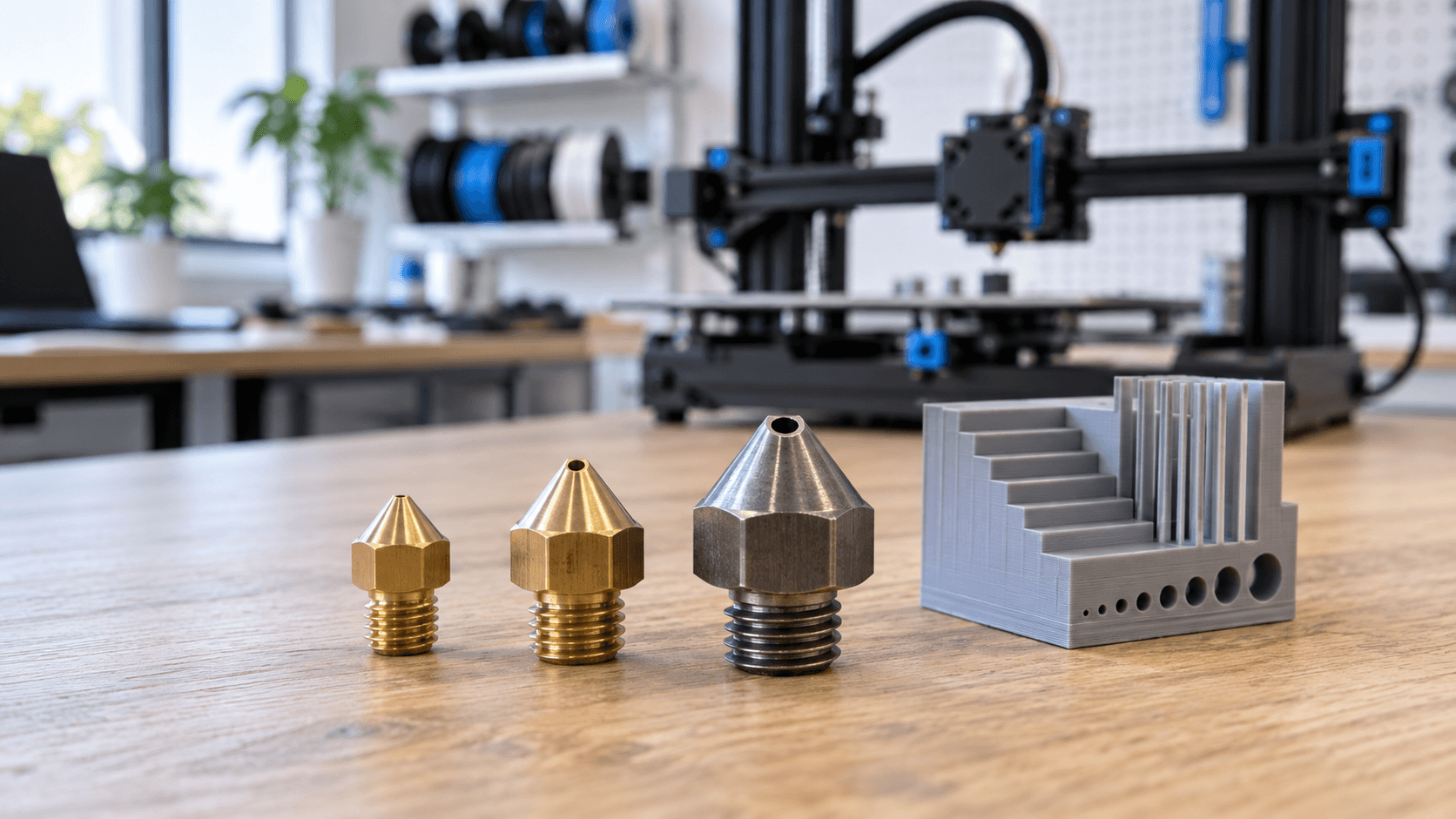
Nozzle 0.4 or 0.6 mm: the choice starts from the piece
The nozzle is the last part the molten polymer passes through before it becomes a line on the print bed. Changing its diameter modifies the width of the obtainable lines, the XY detail, the usable layer heights and the amount of material that the hotend must be able to fuse. It is therefore not an accessory to choose just because "bigger means faster". For many FDM jobs, 0.4 mm is a versatile starting point; 0.6 mm can be convenient for larger components and strong walls, as long as the geometry, material and machine allow it. The useful question is: what is the smallest detail that the piece must retain, what finish is needed and how important is the production time? A thin lettering, a small clip and a large template do not ask for the same profile. The nominal nozzle diameter is not even a promise about the final tolerance of the part: that also depends on calibration, cooling, orientation and material.
What really changes with the diameter
With a 0.4 mm nozzle the slicer can draw relatively fine lines. It is practical when there are small edges, narrow walls and details close together. By switching to 0.6 mm, each line can deposit more material and some large sections may require fewer passes. But if a detail is narrower than the line the profile can make, the slicer may modify or omit it. Before changing hardware, check the lines preview: this is where you see whether holes, letters, grooves and ribs survive the conversion to print paths. The height of the layer also needs to be reconsidered. The PrusaSlicer documentation indicates that it should stay under 80% of the nozzle diameter: for 0.4 mm it cites around 0.32 mm as the maximum. This is not an invitation to always work at the limit; proven profiles and desired surface may suggest lower layers. The larger nozzle widens the possible range, but higher layers make the steps on inclined surfaces more visible.
When 0.4 mm is a good base
Use 0.4 mm if you are still defining the model, if you need to preserve small details, or if you want to start from the standard profiles of your printer. For a body with tiny holes or close joints, it is often more useful to maintain XY resolution and verify the first sample than to chase a few minutes of printing. It is also a reasonable choice when the team already uses verified profiles and wants to reduce process variables. However, don't confuse a small nozzle with a guarantee of precision. A thin wall may not be printable even with 0.4 mm if the geometry is not compatible with the extrusion widths allowed by the slicer. A small hole may require compensation or machining after printing. For mated components, provide a dimensional specimen before the series.
When to evaluate 0.6 mm
0.6 mm makes sense when the part has large solid areas, generous walls, non-fine details and a specific productivity goal. A template, a technical container or a bulky prototype can benefit from it. The time advantage, however, is not constant: it depends on dimensions, number of walls, layer height, speed, accelerations and ability of the hotend to melt the required material. If the required volumetric flow exceeds the sustainable one, the machine may underextrude instead of printing faster. To compare the two diameters, prepare the same model with specific profiles and look at three things in the slicer: estimated time, lost detail, and expected volumetric flow rate. Then print a small sample, not the batch directly. Evaluate real geometry and surfaces, not just the number of hours shown on the screen. If a functional wall changes thickness because the number of perimeters varies, the resistance of the part can also change: do not attribute the result to the nozzle alone.
Brass, hardened steel and filled filaments
Diameter is not the only variable. Brass nozzles are common for ordinary filaments and conduct heat well. Abrasive filaments, such as some filled with carbon fiber, metal particles, or phosphorescent pigments, can quickly wear away brass; Manufacturers recommend abrasion-resistant nozzles for these uses. Always check filament data sheet, reinforcement type and compatibility of your hotend. “Hardened steel” does not mean universal compatibility with every filler nor does it eliminate the need to adjust the thermal profile. Some filled materials also require a minimum hole recommended by the manufacturer to reduce the risk of clogging. Don't apply a universal rule: grain size and formulation change between rolls. If you don't know the composition, ask for the technical data sheet before choosing the nozzle and keep track of what material went through each nozzle.
Nozzle change: Also upgrade the slicer
Mounting a 0.6 mm while leaving the 0.4 mm profile in the slicer produces inconsistent indications. Select the correct diameter in the printer and software, then check extrusion width, layer height, maximum flow, temperature and first layer parameters. Start from a manufacturer preset compatible with your machine, when available. Don't simply copy the speed of the old profile: the volume of material per second can increase a lot even if the movement looks similar. For physical replacement, follow the manufacturer's specific procedure: some systems use integrated heads, other nozzles screwed in with their own sequence and tightening torque. Do not improvise the tightening or touch hot parts; incorrect assembly may cause polymer leakage or damage to the heating block. After the change, check any adjustments of the first layer required by the machine and check that there are no leaks.
A short test that is worth more than a generic table
Choose a specimen that includes a similar thin wall, hole, sloped surface, and large zone as the final part. Keep filament, orientation and environmental conditions constant by changing only the nozzle and its profile. Measure the functional points with a suitable instrument, observe the quality of the first layer, check the continuity of the walls and note any underextrusion. If the part works under load, add evidence consistent with its intended use: mere surface appearance does not demonstrate strength. If the material comes out unevenly, do not assume that the nozzle is worn. Check first spool, filament path, temperature and residue. Prusa maintenance guides describe different cleaning procedures depending on the model and warn that certain coated nozzles do not tolerate cold pull: consult the procedure for your hardware before inserting needles, brushes or applying force.
From prototype to repeatable choice
The final choice is a small process decision. For small and variable parts, 0.4 mm is often the simplest basis. For large, poorly detailed geometries, 0.6 mm is worth a comparative test. For abrasive filaments, also choose the nozzle material according to the data sheet. Record diameter, material, slicer profile and sample result: so the next print does not start from attempts. Do you have a component to produce but don't know what compromise to adopt? [Contact ADIVO](https://adivo.it/en/contatti) with 3D file, required material, quantity and function of the piece: we can evaluate geometry, technology and sample together before production.