
Infill in 3D printing: density and pattern without wasting filament
More fill doesn't always mean a better piece. Learn how to choose infill density and pattern based on geometry, loads, top layer, time and material.
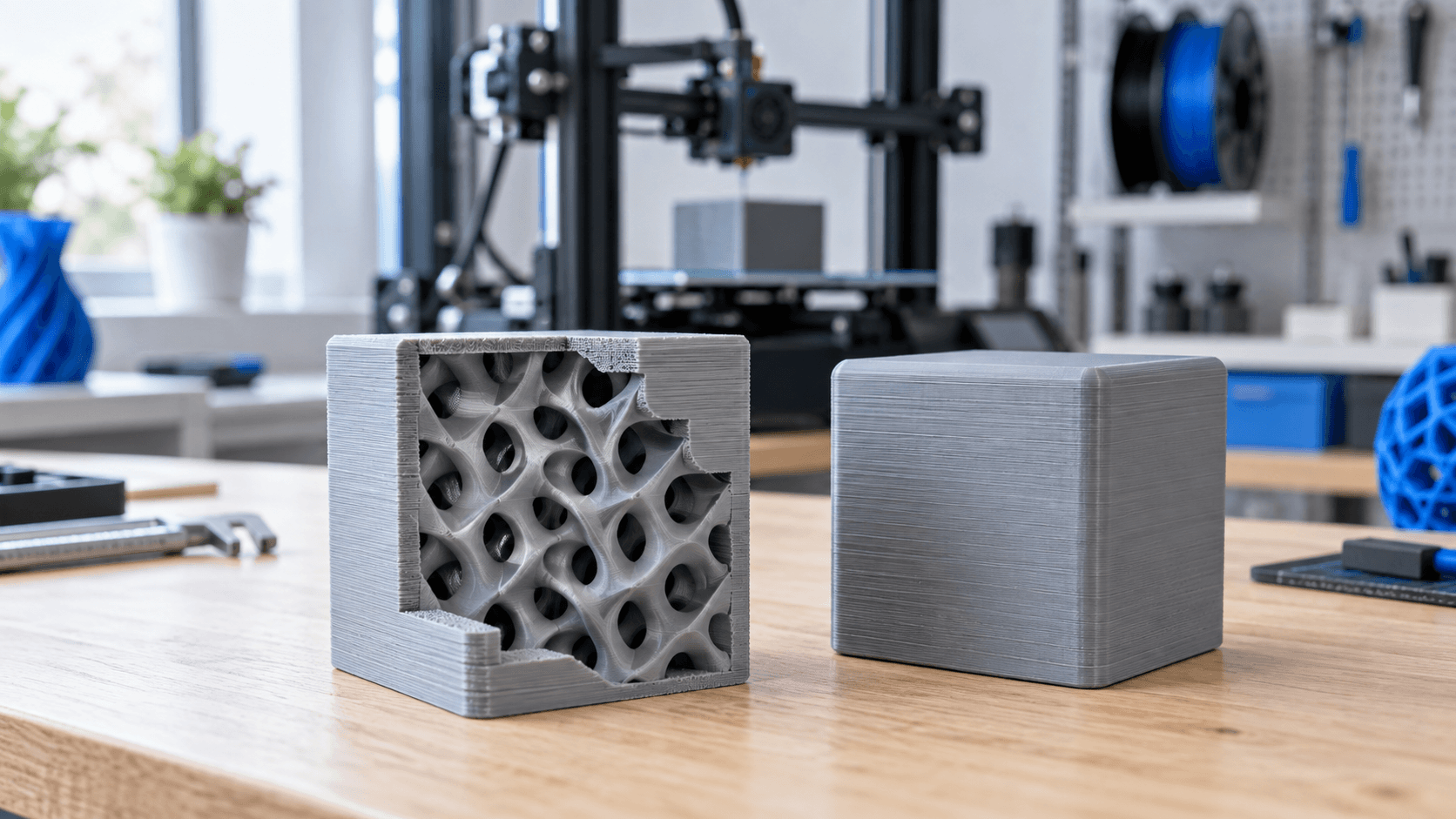
What is infill and why it is not just "material inside"
In FDM 3D printing, the infill is the internal structure generated by the slicer between walls, bottoms and top surfaces. Its first task is to offer support to the top layers, which otherwise would have to close the piece by crossing spaces that are too large. It also influences mass, print time, filament consumption and component response to certain loads. However, it does not replace correct wall design and does not automatically make a part strong just because the percentage is high. To choose well you need four questions: is the piece aesthetic or functional? In which direction will the printergo be received? Must it especially resist bending, impact or compression? How large are the upper surfaces to be supported? The same density can work on an ornament and fail on a bracket, because the geometry, orientation and conditions of use change.
Density: start low, then validate
Density indicates how much internal space is occupied by the structure, but it is not a universal index of resistance. Prusa documentation notes that many models can be printed with low percentages and that, to increase robustness, it is often more effective to add perimeters. The infill, on the other hand, contributes significantly to the support of the upper surfaces and to the resistance to compression. For a visual model or footprint check you can start at a moderate density, then check the slicer preview. If the lines of the first top layer must cover large voids, simply increasing the number of top layers may not be enough: a closer internal structure or a pattern that offers better distributed supports may be needed. On the contrary, bringing the filling to 100% increases material, accumulated heat and time, without guaranteeing the best solution. Prusa also reports that filling can make the model look worse. There is therefore no valid percentage for every machine and every material. The choice must be verified on a representative specimen, keeping orientation, filament, temperature and profile constant. For critical or regulated applications, a test print does not replace specialist calculations, characterization and validation.
Main patterns: choose based on function
Names vary slightly between slicers, but some families occur often. Rectilinear alternates the direction of lines between layers and is quick to generate and print. Grid creates crossings in the same layer: it may provide a simple structure, but buildup at crossing points can produce noise or nozzle bumps in certain profiles. If you feel the head touching the infill, don't ignore the signal: check overextrusion, flow, speed and pattern choice. Gyroid and cubic are three-dimensional structures useful when looking for a more distributed response in different directions. However, they do not make the FDM piece isotropic: the adhesion between layers and the orientation remain crucial. For a bracket loaded primarily along one axis, changing orientation and geometry can have more effect than simply changing the internal design. Lightning and sparse support structures are primarily designed to support the top surfaces using little material. UltiMaker recommends them for visual models and quick prints where internal resistance is not a priority. They are not the natural choice for a mechanical component. Furthermore, with flexible filaments, complex patterns can be more difficult to extrude regularly: starting from a simple manufacturer profile reduces the variables.
Walls and top layers count as much as infill
A common mistake is to increase the infill to correct a sagging part near the surface. The external walls often carry a significant part of the load, especially in bending. If the break originates from the edge or around a hole, it may be more useful to increase perimeters, add radii and locally reinforce the geometry. Prusa documentation points out that the number of perimeters defines much of the strength of the model. The upper surfaces also require attention. Too low a density, too few top layers or an unstable flow rate can produce depressions and holes. The UltiMaker S7 manual in fact links insufficient infill and a few upper layers to the pillowing phenomenon. Before drastically increasing the density, check cooling, temperature, top layer speed and actual top thickness. The number of layers, alone, changes meaning when the layer height changes: thinking in millimeters makes the comparison clearer.
How to compare two settings without getting confused
Duplicate the project in the slicer and change only one variable at a time. Keep model, orientation, material, layers, walls and top/bottom the same; first compare two densities with the same pattern. In the preview, observe estimated times, grams of material, supports under the upper surfaces, travel moves and possible crossings. Cura's Preview mode allows you to distinguish infills, skins and other line types; using it before printing helps to intercept empty areas or unexpected paths. Then print a specimen that replicates the wall, top surface, hole or loaded area of the real component. Record weight, effective time, top closure quality and failure mode in a test consistent with use. Do not compare two samples produced with different spools or orientations. If the result is insufficient, decide whether to intervene on density, pattern, walls or CAD based on the defect observed, not by random attempts. For large pieces it may be useful to apply a local modifier: many slicers allow you to increase infills or perimeters only around a hole, a seat or a load point. This way you avoid filling the entire volume unnecessarily. However, check the transition in the preview and verify that the profile obtained is actually printable by the chosen machine.
A repeatable choice for prototypes and small series
For an aesthetic model, the main goal may be to support the top layers well with little material. For a functional prototype, walls, orientation and local reinforcements come before the percentage race. For a piece subjected to compression, density and internal distribution gain greater weight. In any case, save the slicer profile, software version, material and specimen result with the file: the “20%” number without context is not a manufacturing specification. Do you have a component to prototype and want to avoid unnecessary tests? [Contact ADIVO](https://adivo.it/en/contatti) with 3D file, material, quantity and intended function: we can evaluate geometry, orientation and printing strategy before the sample.