
Exposure in resin 3D printing: calibrating detail and precision
An exposure time copied from the internet is not enough. Learn to calibrate resin exposure by distinguishing missing details, closed holes and process problems.
Why exposure decides more than simple print success
In resin 3D printing, every layer image receives light energy to solidify the material. In MSLA and DLP systems the slicer often expresses the parameter as exposure time; other systems control an energy dose directly. The value influences detail formation, dimensions, part strength during release and support reliability. Too little exposure can leave elements fragile or incomplete. Too much exposure can widen the polymerised zones beyond the desired outline, close small holes and merge nearby details. The correct point is therefore not the maximum value that makes the part stick, but a verified balance on the geometry in question. A successful test specimen does not make the profile universal. Machine, light source, tank film, resin, pigment, temperature, layer height and operating conditions form a single process.
Why copying a time found online is not worthwhile
Two printers can use resins declared compatible with the same wavelength yet require different settings. Power, uniformity and the condition of the screen or projector change the dose received. Even different versions of the same resin can have different formulations or pigmentation. Prusa requires calibrating the resin for the specific layer height and reminds that pigment and viscosity influence light penetration. Formlabs distinguishes exposure, irradiance and time: a system with greater irradiance can reach the required dose in less time. For this reason a number without printer, material and layer height is not a reliable recipe. Start from the resin or machine manufacturer's official profile. If the combination is not validated, use the value only as a starting point and apply a calibration procedure compatible with the model.
Normal and bottom layers do not perform the same task
The first layers, often called bottom or burn-in, normally receive different treatment to anchor the print to the platform. The number and initial exposure of the base must not be confused with the normal layers that build the part. Increasing the base indiscriminately can make release difficult, accentuate the lower widening and stress part or equipment. If the model does not adhere, also check levelling, platform cleaning, tank film, orientation, section area and movement parameters. Insufficient adhesion does not by itself prove that the normal time is low. Likewise, a very solid raft does not demonstrate that the details are exposed correctly. Keep the preset base parameters initially and calibrate the normal layers first with the test provided by the manufacturer. Change the base only when the diagnosis shows a specific problem.
How to recognise underexposure and overexposure
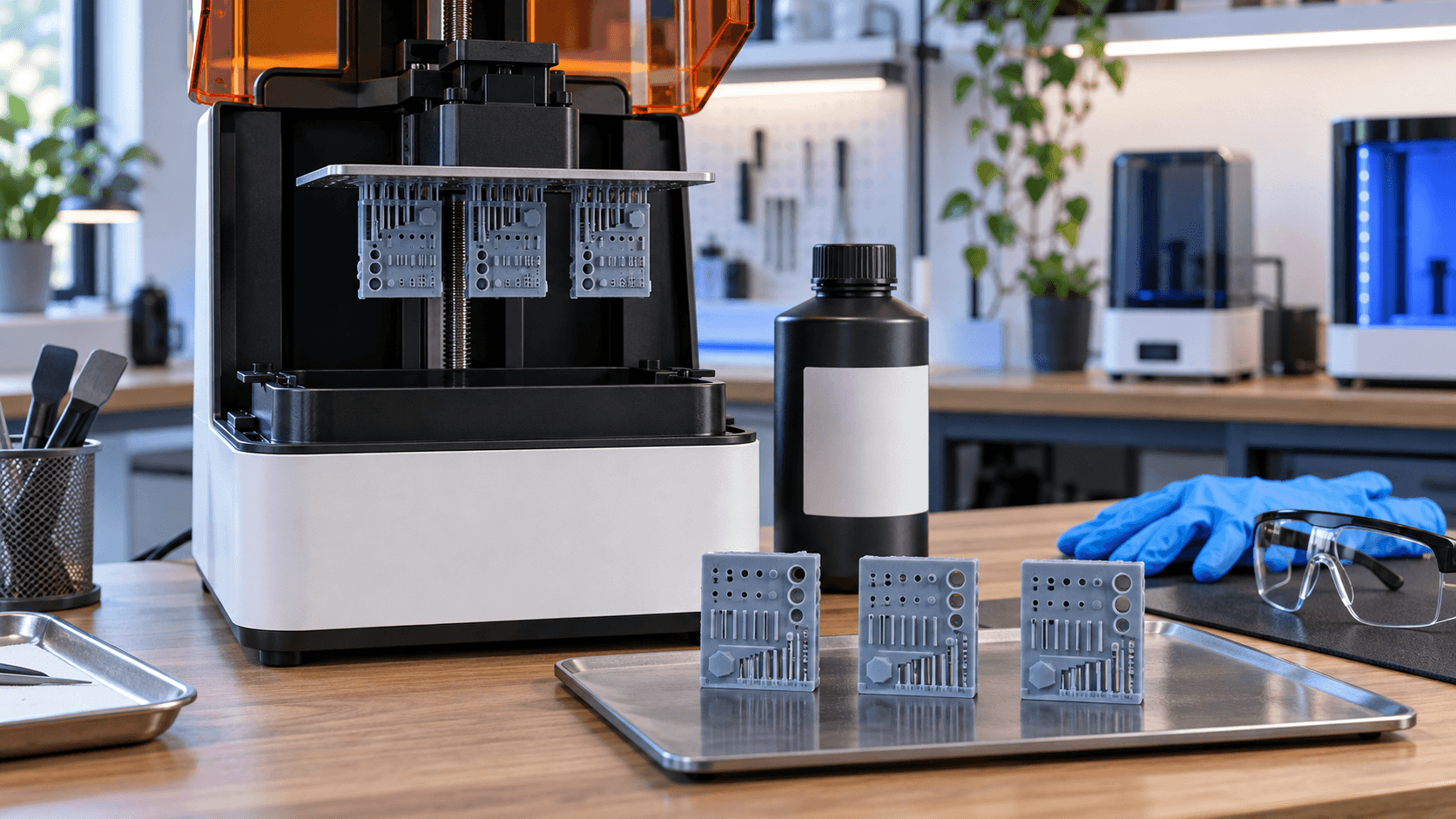
In a well-designed test specimen you must compare positive and negative elements: pins, walls, reliefs, engravings, holes, grooves and couplings. Prusa explains that geometry tends to grow as exposure increases: missing details may require more energy, while thin holes completely closed suggest reducing it. Underexposure can produce missing pins, weak edges, incomplete text or parts that fail during release. Overexposure can swell reliefs, fill voids and fuse separate elements. No single signal is decisive: insufficient supports, non-homogeneous resin, out-of-range temperature or damaged film can imitate some defects. Assess the test specimen after washing and preparation consistent with the material sheet. Comparing a sample still covered with liquid resin with a clean one alters the reading of small details. For dimensional measurements, always use the same finishing procedure intended for the final part.
A useful calibration changes one variable at a time
Use the calibration file provided for the printer or a slicer tool that divides the platform into areas with different exposures. The Anycubic Photon P1 manual, for example, describes a function that applies a time increment to each zone. Prusa similarly proposes series of objects exposed with progressive values. Proceed as follows: 1. Identify exactly printer, resin, version, layer height and initial profile. 2. Homogenise the material according to instructions, without introducing unnecessary bubbles. 3. Check platform, tank and film; remove residues from previous prints. 4. Print a wide range with the compatible official test. 5. Select the best zone comparing fills, voids and dimensions. 6. Repeat around the chosen value with smaller steps. 7. Save a new preset with name, date and test conditions. Do not change exposure, lift speed, layer height and dimensional compensations simultaneously. If the result improves, you will not know which modification produced it; if it worsens, the diagnosis becomes even more difficult.
Temperature, viscosity and tank condition matter
Temperature changes resin reactivity and viscosity. Formlabs reports that thermal variations can modify quality, precision and reliability. Work within the range declared by the manufacturer and let material and machine stabilise. Do not improvise heaters or out-of-spec temperatures. Pigments and fillers can settle during storage. Follow the mixing method indicated, avoid tools that could scratch the film and filter the resin when the procedure requires it. A tank with hardened residues or opacified film reduces test quality and can damage the screen during platform movement. Recalibrate when you change resin, colour, layer height, machine or relevant optical component. Even a profile update can justify a check. For repeatable work, record batch, temperature and test result instead of relying on the generic material name.
Dimensional precision and visual quality do not always coincide
The aesthetically sharpest sample is not necessarily the most accurate one. Measure holes, thicknesses and distances with adequate tools and compare them with the model. If the software offers XY compensations or boundary offset, apply them only after stabilising exposure and process; otherwise a compensation can hide a wrong profile. For functional, dental, medical or parts subject to specific requirements, use exclusively materials, machines and procedures validated for the application. A generic test does not certify performance, biocompatibility or tolerances.
Safety during every test
Liquid resin requires procedures and personal protective equipment indicated in the safety data sheet: compatible gloves, eye protection, ventilation and correct handling of tools, solvents and waste. Avoid skin contact and do not intentionally expose resin or solvents to flames and heat sources. Cure and dispose of residues only according to manufacturer instructions and local regulations. A short calibration can produce many small samples. Plan containers, protected surface and cleaning before starting, so the technical comparison does not create contamination of the workstation. Want to validate a resin or prepare a profile for a small series? [Contact ADIVO](https://adivo.it/en/contatti) indicating printer, resin, layer height, test specimen and defect observed: we can help you set up a controlled comparison or assess component production.