
Z seam in 3D printing: how to reduce the vertical scar
The vertical line on the part is not always a random defect. Discover how seam position, flow, retraction and geometry change the result.
More details
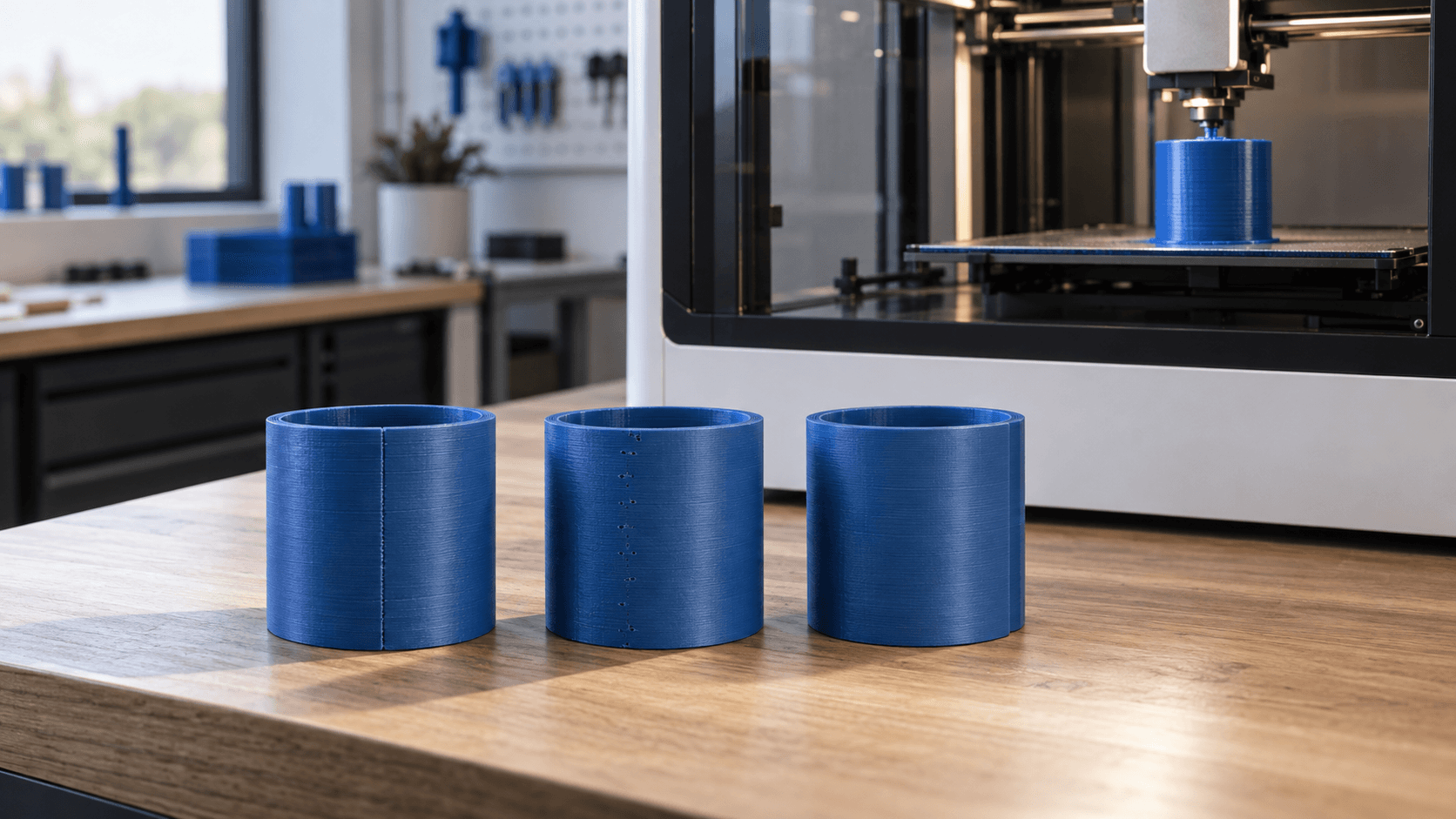
A vertical line crosses the wall of the model, or a regular sequence of small ridges appears. It is one of the most recognisable signs of FDM 3D printing: the **Z seam**, also called the seam, scar or layer junction. It does not necessarily come from a faulty printer. Every closed perimeter must start and end at a point; when those points repeat along the Z axis, they become visible on the surface. The seam cannot be eliminated in every situation, but it can be controlled. The best result comes from combining an intelligent position in the slicer, a well-calibrated extrusion profile and a favourably oriented geometry. Intervening on a single parameter, especially with extreme values, risks instead turning a small ridge into a crack or under-extrusion.
What the Z seam really is
During the printing of a wall, the nozzle completes a ring and moves to the next trajectory. At the closure point, speed, material pressure and movement direction all change. A small amount of extra plastic can create a bulge; a poor restart lacking material can leave a depression. If the slicer places the closure in the same area at every layer, the marks form a vertical line. Before changing the profile, observe the slicer preview. The seams are normally highlightable as points or markers. If the real defect coincides with those points, you are looking at the seam. If instead the line continues even where the preview does not indicate a perimeter change, check Z-axis wobble, resonances, flow variations or model problems.
Choosing the position: aligned, back, near or random
The positioning strategy changes the look of the part. With **aligned**, the closures concentrate and produce an ordered line: it can be obvious on a cylinder, but easy to hide on an edge. The **back** mode moves the seam towards the back of the plate; it only works if that back really corresponds to the least visible side of the object. The **near** mode often prioritises sharp edges and short paths. On a component with sharp corners it can make the junction almost imperceptible. The **random** mode distributes the points across the surface: it avoids the continuous scar, but can create many small marks. For this reason it is not automatically the most aesthetic choice on smooth walls. When available, seam painting offers more precise control. You can force the points along an inner edge, on the back or in an area destined for finishing, and lock them on the main face. Always check the preview after painting: curved surfaces, overhangs and section changes can force the slicer to choose different areas.
Orientation and design matter as much as the slicer
Rotating the model can be enough to move the seam out of view. On a cover, put it on the side facing the wall; on a knob, align it to a slot; on a container, use an edge or a vertical detail. If you are designing the part, a thin rib, a chamfer or a step change can offer a natural seat for the seam without altering the function. This choice must be balanced with supports, anisotropy and finishing. It is not worth getting a perfect wall if the new orientation weakens the component in the loading direction or generates supports on a critical surface. In technical parts, the seam position must also stay away from couplings, seals and calibrated holes, or be validated with a dimensional test.
Calibrate flow and temperature before fine corrections
Excessive flow accumulates material at the closure point; insufficient flow leaves voids. Start from a reliable profile for printer, nozzle and material, then calibrate the flow ratio or extrusion multiplier with the filament actually used. Colour and formulation can change the behaviour, so a value copied from another spool is no guarantee. Temperature also affects viscosity. Too high can increase drips and ridges; too low can worsen restart and line adhesion. Run short tests and change one variable at a time. Reducing the flow only to hide the seam can thin all the walls and compromise strength and precision.
Retraction, wipe and pressure advance
Retraction limits the material coming out during moves, but it is not a universal rubber. If it is excessive, the restart can have a void; if it is insufficient, a droplet can remain. Distance and speed depend on the extruder, the material and the path. Start from the manufacturer presets and use a dedicated test, avoiding large simultaneous variations. The **wipe** functions move the nozzle along an already-printed area before the move and can clean the closure better. **Pressure advance**, called linear advance in some firmware, compensates for the pressure delay in the nozzle during acceleration and deceleration. A correct calibration makes the extrusion more uniform near the seam; a wrong value can instead produce bulges or gaps. Save the result in the material profile and repeat the check when the nozzle, filament or printing conditions change.
Scarf seam: useful, but not miraculous
Modern slicers can offer the **scarf seam**, which distributes the transition between start and end along a stretch of the perimeter instead of concentrating it in a single point. On curved and regular surfaces it can greatly reduce the scar. The result depends however on the length, height, speed and flow of the junction; sharp edges, overhangs and short segments are less favourable. Activate it first on the outer contour only and print a representative test piece. Compare not only the appearance, but also diameter, roundness and wall tightness. Avoid copying aggressive settings from incompatible profiles: names and behaviour change between slicer versions and machine models.
A quick method to find the right compromise
Use a cylinder or a small section of the component with the same material and layer height as the final work. Print the base profile first, then try a seam position consistent with the geometry. If the point is still swollen or hollow, calibrate in order temperature, flow, pressure advance and retraction, keeping a single modification per test. Only afterwards evaluate seam gap, wipe or scarf seam. Photograph the test pieces with raking light, note the parameters and check the preview. The best profile is not the one that hides the defect in a single photo, but the one that stays stable on the real parts without sacrificing adhesion, dimensions and strength.
Do you need a clean surface on a real component?
ADIVO can help you choose technology, material, orientation and finishing for prototypes and small series. Send the 3D file and indicate which surfaces are aesthetic or functional: we will evaluate the seam position together with tolerances, loads and usage requirements. [Contact ADIVO](/en/contatti) for a comparison on your project.