
STL Files for 3D Printing: Checks, Errors, and 3MF and STEP Alternatives
An STL file may look correct yet cause errors in the slicer. Discover what to check before printing and when to prefer 3MF or STEP.
More details
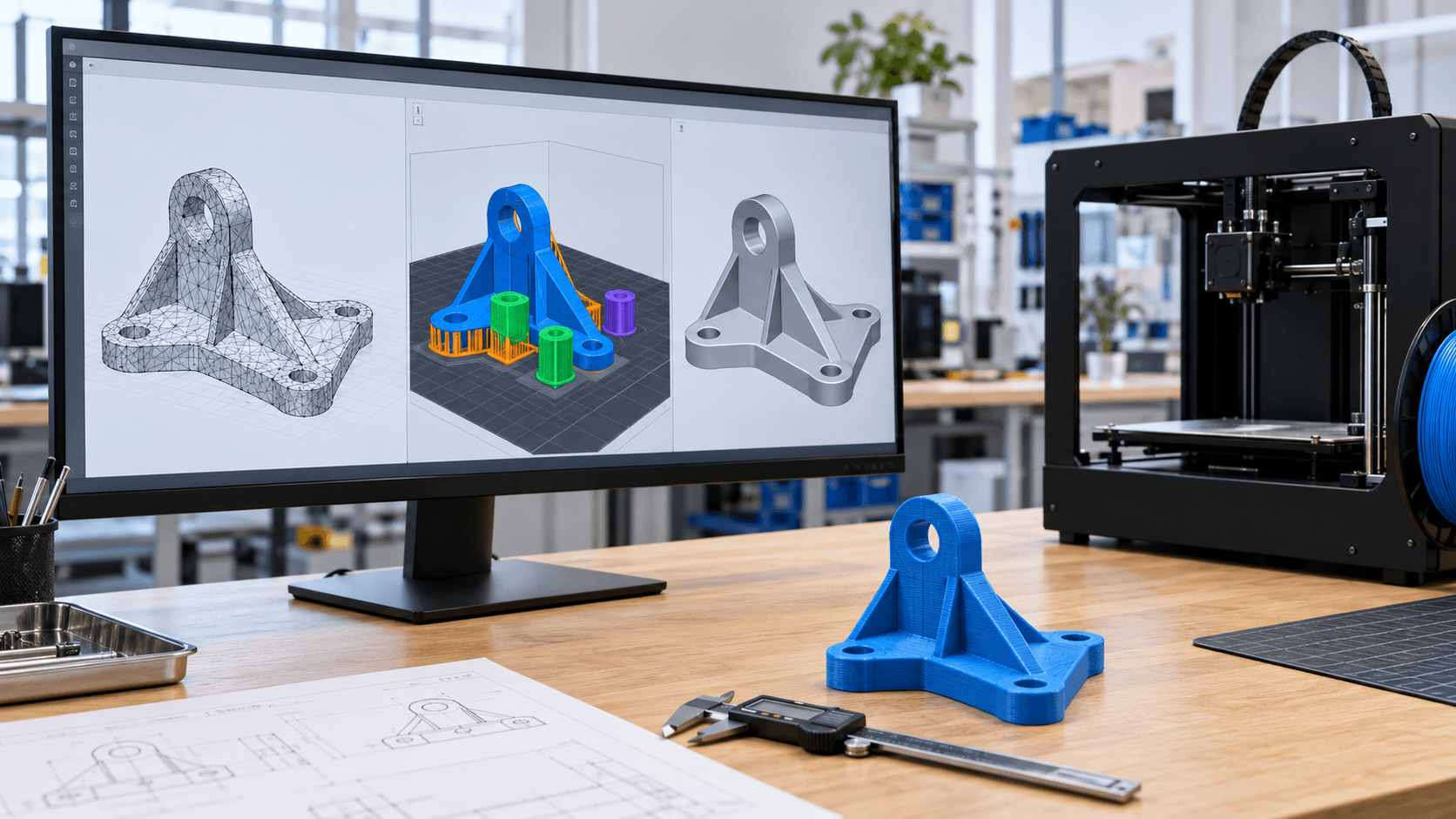
An STL file opens in the slicer, the model appears on the build plate and seems ready. Yet the scale may be wrong, a curved surface may come out faceted, or the preview may show missing walls. The problem is not always the printer: it often originates in the transition from CAD to the file destined for 3D printing. STL remains an extremely widespread format, but it describes the surface with triangles and contains no explicit unit of measurement. 3MF was instead created for additive manufacturing and can preserve units, multiple objects, colours and other information. STEP belongs to the world of CAD exchange and maintains a geometric representation better suited to technical modifications. There is therefore no format that is best in absolute terms: what matters is what must pass through the workflow, from the design to the quote and then to the slicer.
What an STL file really contains
An STL represents the outer shell of the model through a network of triangular facets. It does not preserve the parametric history of the CAD, the sketch constraints, the machining operations or the meaning of a hole. Moreover the format is unitless: the number 20 may be interpreted as 20 millimetres, centimetres or inches depending on the software and the import. Triangulation is an approximation. If the export uses a too-coarse mesh, cylinders and fillets become visibly polygonal. A very dense mesh can produce a heavy file without improving the result beyond the useful resolution of the process. Autodesk Fusion allows you to control parameters such as surface deviation, normal deviation and maximum edge length: these are conversion choices, not simple save options.
The checks to carry out before slicing
The first check is the scale. Compare at least one known dimension, such as a diameter, centre distance or total length, with the drawing or the original CAD. Do not correct the size "by eye": a uniform scale may recover a unit error, but it does not solve deformations or poorly designed tolerances. Then verify that the mesh describes a closed and manifold volume. Holes, overlapping faces, inverted normals, open edges and internal geometries can make it ambiguous what is solid and what is void. Modern slicers repair some defects automatically, but a repair does not guarantee that the designer's intent has been preserved. After every correction you must re-check holes, thin walls, cavities and mating surfaces. Finally observe the layer-by-layer preview. The 3D model shows the theoretical surface; the preview shows what the machine will actually try to deposit or polymerise. Look for vanished walls, islands, gaps in toolpaths, details reduced to a single line and anomalous changes in the section. If a feature is thinner than the process capability or incompatible with the nozzle diameter, a formally valid STL may still not be producible.
When to choose 3MF
3MF is a format designed to transfer additive manufacturing data. The 3MF Consortium specification includes defined units, mesh, components and resources; dedicated extensions can represent materials and properties. This reduces some of the typical ambiguities of STL, especially in projects with multiple bodies or colours. However the 3MF specification must be distinguished from the way an individual program uses it. In PrusaSlicer, for example, a 3MF project can include objects, orientations, modifiers, settings and previews. It is useful for storing an operation or passing it on to an operator, but the machine and material presets must still be verified on the destination system. A project created for one printer does not automatically become safe on another. To send a single already-validated part, STL may be sufficient. For a build plate with multiple objects, material assignments, orientations and parameters to re-examine, 3MF offers a more complete container. Before sharing, check anyway that the file does not include proprietary profiles, internal names or unnecessary elements.
When to also send STEP
STEP is part of the ISO 10303 series for the representation and exchange of product data. In a normal mechanical workflow it allows CAD geometries with surfaces and solids to be transferred, so it is better suited when the supplier must measure, modify or rebuild the component. If you need to change a diameter, close a hole or adapt a fillet, working on the solid is generally more controllable than intervening on thousands of triangles. STEP does not replace the slicer. The model is triangulated anyway before becoming toolpaths or layers; PrusaSlicer explicitly states that it triangulates STEP during import. The advantage is deferring this conversion and preserving a geometry useful for revisions for longer. For a technical quote request, the most effective combination may be STEP plus a dimensioned PDF: the former offers modifiable geometry, the latter clarifies critical dimensions, tolerances and requirements. If the project is already ready for production, adding a validated STL or 3MF also allows you to compare the interpretation expected by the client.
Errors that a different format does not solve
Changing the extension does not fix a poorly designed model. Walls that are too thin, insufficient clearances, details below resolution, self-intersecting solids and unrealistic tolerances remain design problems. Orientation, supports, material shrinkage and anisotropy also belong to the process, not to the file container. Be wary therefore of chained conversions: STL converted to STEP does not automatically recover parametric surfaces and design intent. It often creates a solid made up of the same triangular facets, which is more difficult to modify. Whenever possible, return to the source CAD and export again with units, bodies and mesh quality controlled.
A simple workflow before sending the file
Keep the original CAD as the source. Export STEP if technical revisions are expected; generate STL or 3MF for slicing; assign a name with a version; verify a known dimension; check the mesh and orientation; finally examine the layer preview. Attach a short note with material, quantity, function, aesthetic surfaces, tolerances and service conditions. For a critical component, the file does not replace a proportionate validation. Loads, temperature, food contact, medical use or safety functions require specific requirements, materials and tests. Simply opening it in the slicer does not certify the suitability of the part.
From file to component with ADIVO
ADIVO can check the model, identify scale or mesh ambiguities and assess technology, material and orientation for prototypes and small series. Send the source CAD or STEP together with the file destined for printing and indicate the dimensions that are truly functional. [Contact ADIVO](/en/contatti): a check before production costs less than correcting a batch after printing.